
Watson Assistant Suggestions:
Inventing a Patented Way Out of Chatbot Dead Ends
- ~200%above adoption goals
- US 11,243,991granted patent
- 2020launched in Watson Assistant
Disclaimer
The following case study is personal and does not necessarily represent IBM’s positions, strategies or opinions. I have omitted and obfuscated confidential information.
Summary
Overview
In 2020, my team asked a simple question: how can a chatbot stop sending people in circles? After rounds of quick concepts and prototypes, we landed on something new.
The problem
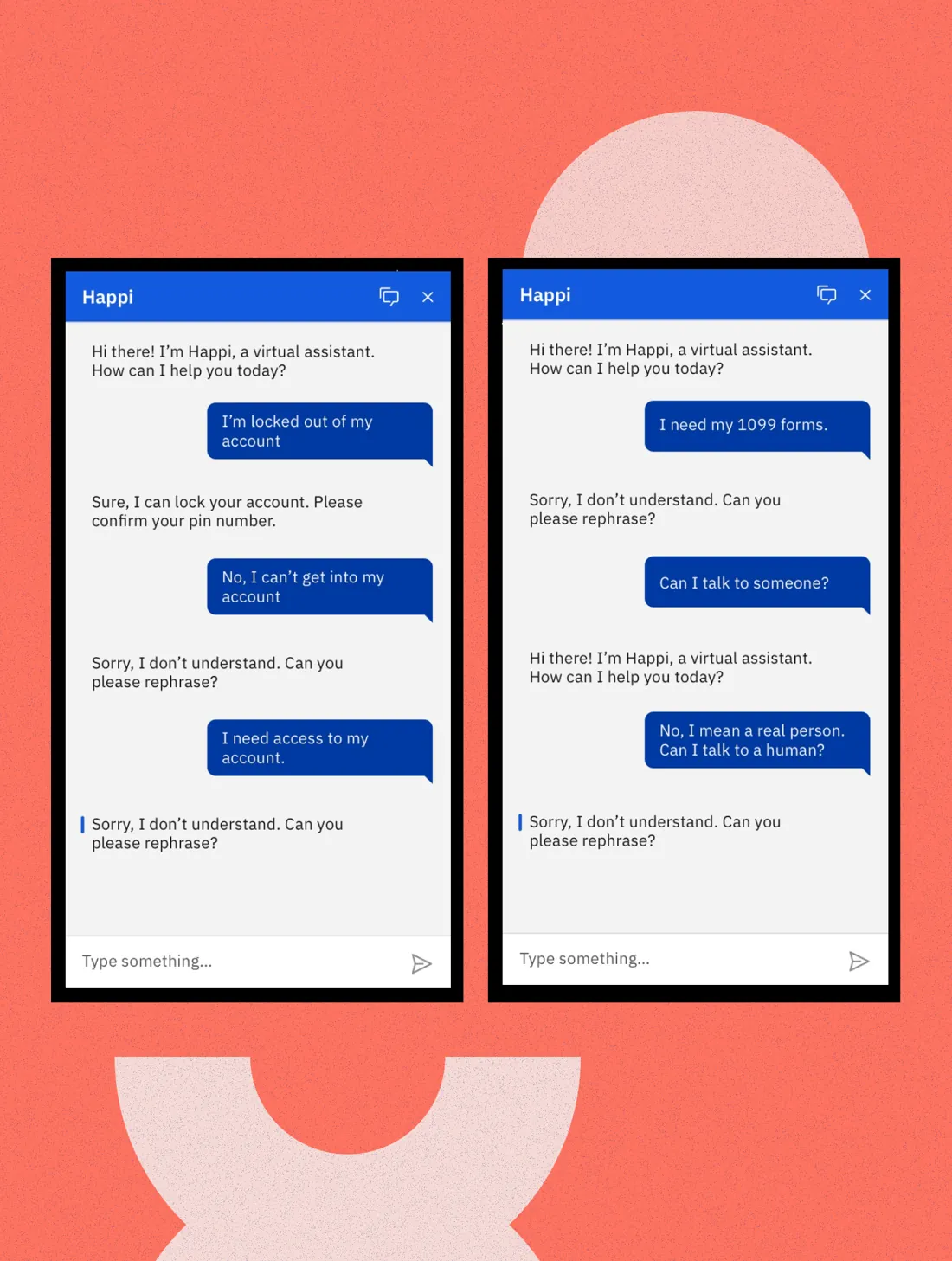
When a chatbot doesn’t understand, people get stuck in loops, get frustrated and leave. Those abandoned conversations cost our customers money and their users’ patience.
What I did
I led the invention and cross-team design of “Suggestions,” a pattern that uses the conversation’s context to offer people a way forward. It became U.S. Patent 11,243,991.
Impact
Suggestions beat its adoption and usage goals by nearly 200% and got more conversations to an answer.
Who I brought togetherDesigners, developers and offering managers on the Watson Assistant web chat team, who all sketched together, and IBM’s patent review committee, which confirmed the idea was new.
The Challenge
Chatbot conversations break down in lots of ways. People end up in unhelpful loops, then give up and look for help somewhere else.
The Watson Assistant web chat team asked how we could help people get out of those loops and reach an answer, even when the dialog behind the scenes wasn’t perfect.
Mapping the Dead Ends
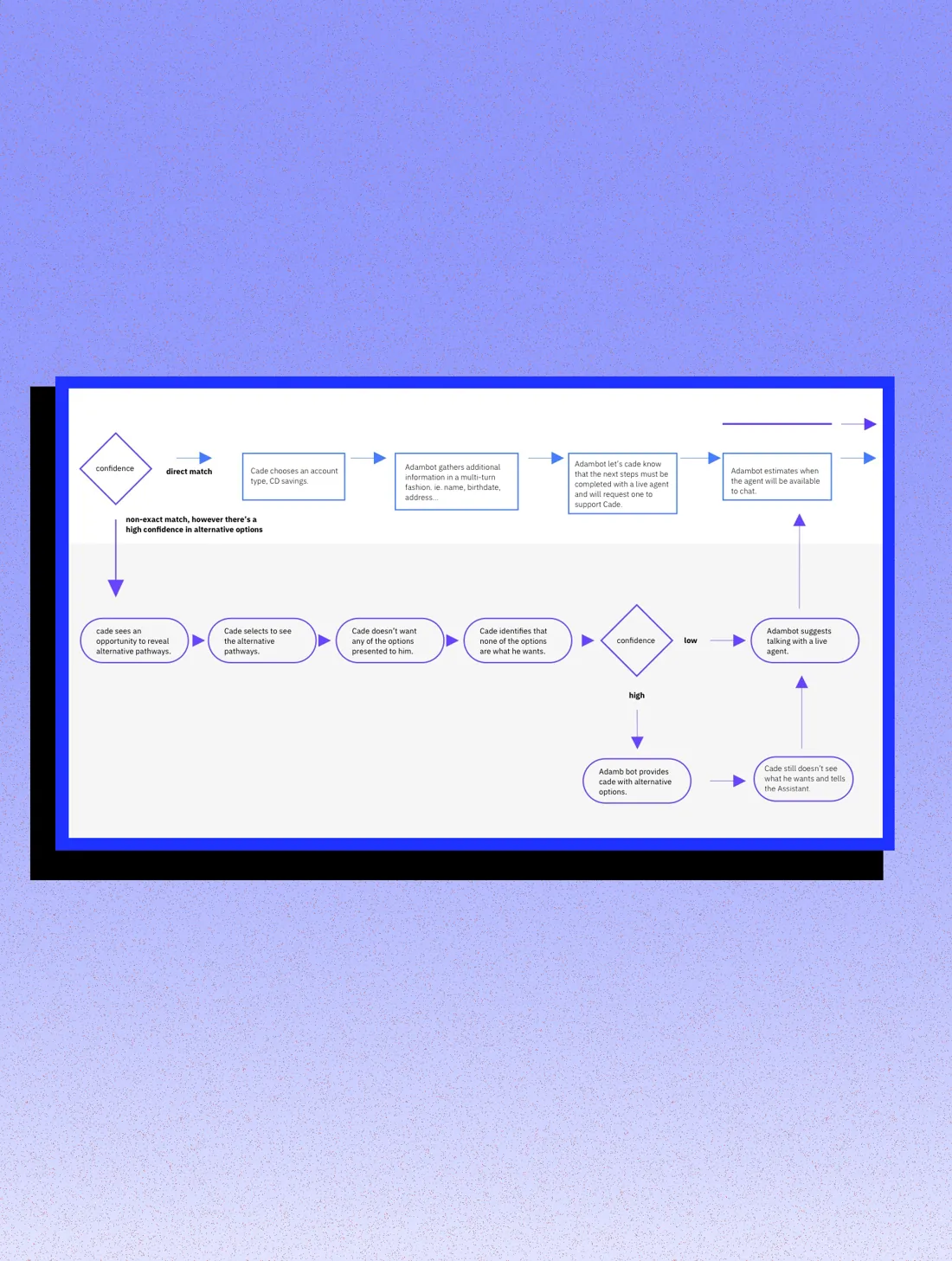
We started by mapping every way people get stuck, using customer interviews: dead ends, misunderstandings and answers that just weren’t useful.
Two ways out stood out. We could offer alternative answers to get the conversation back on track, or make it easy to reach a live agent.
Anatomy
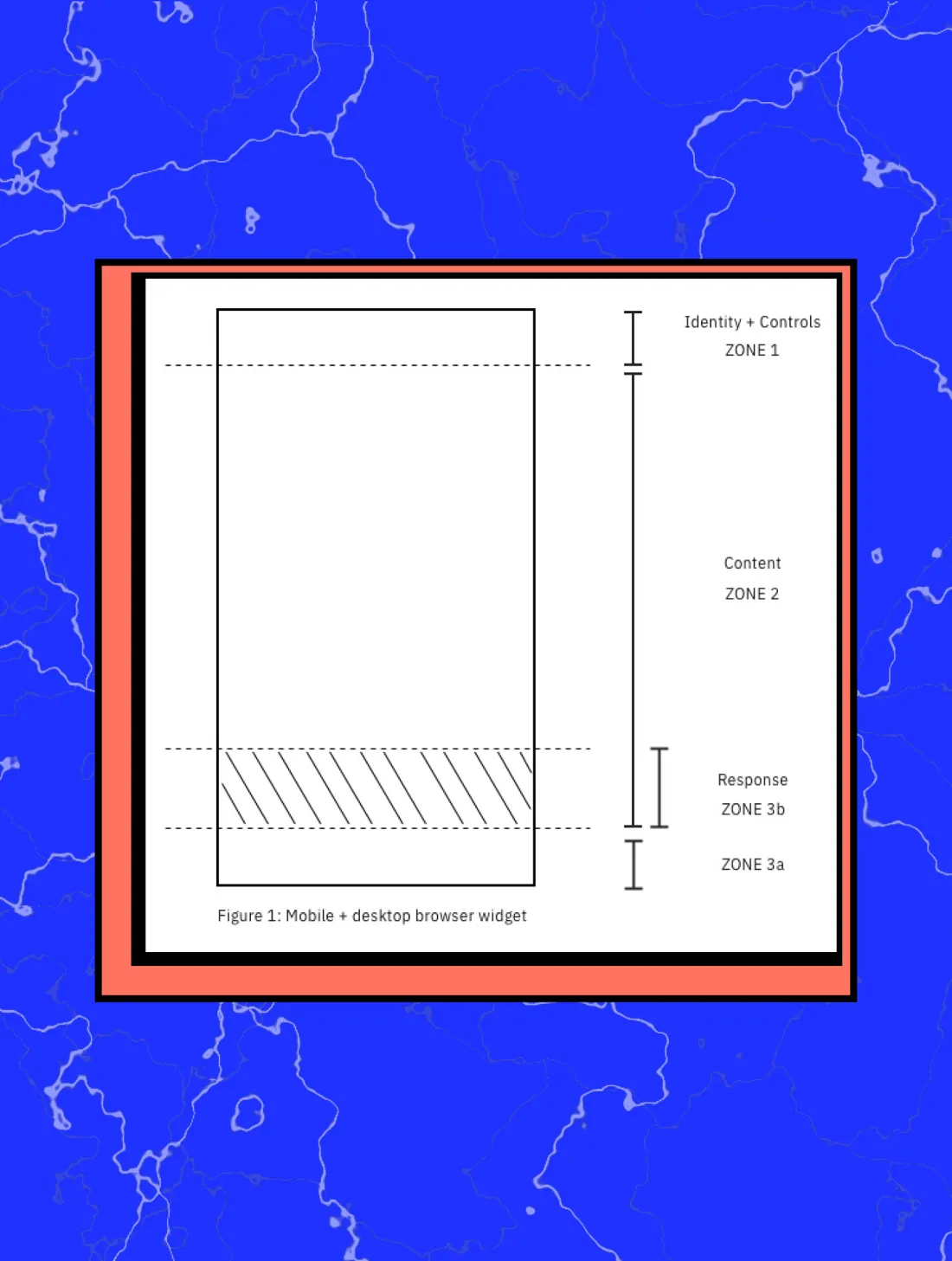
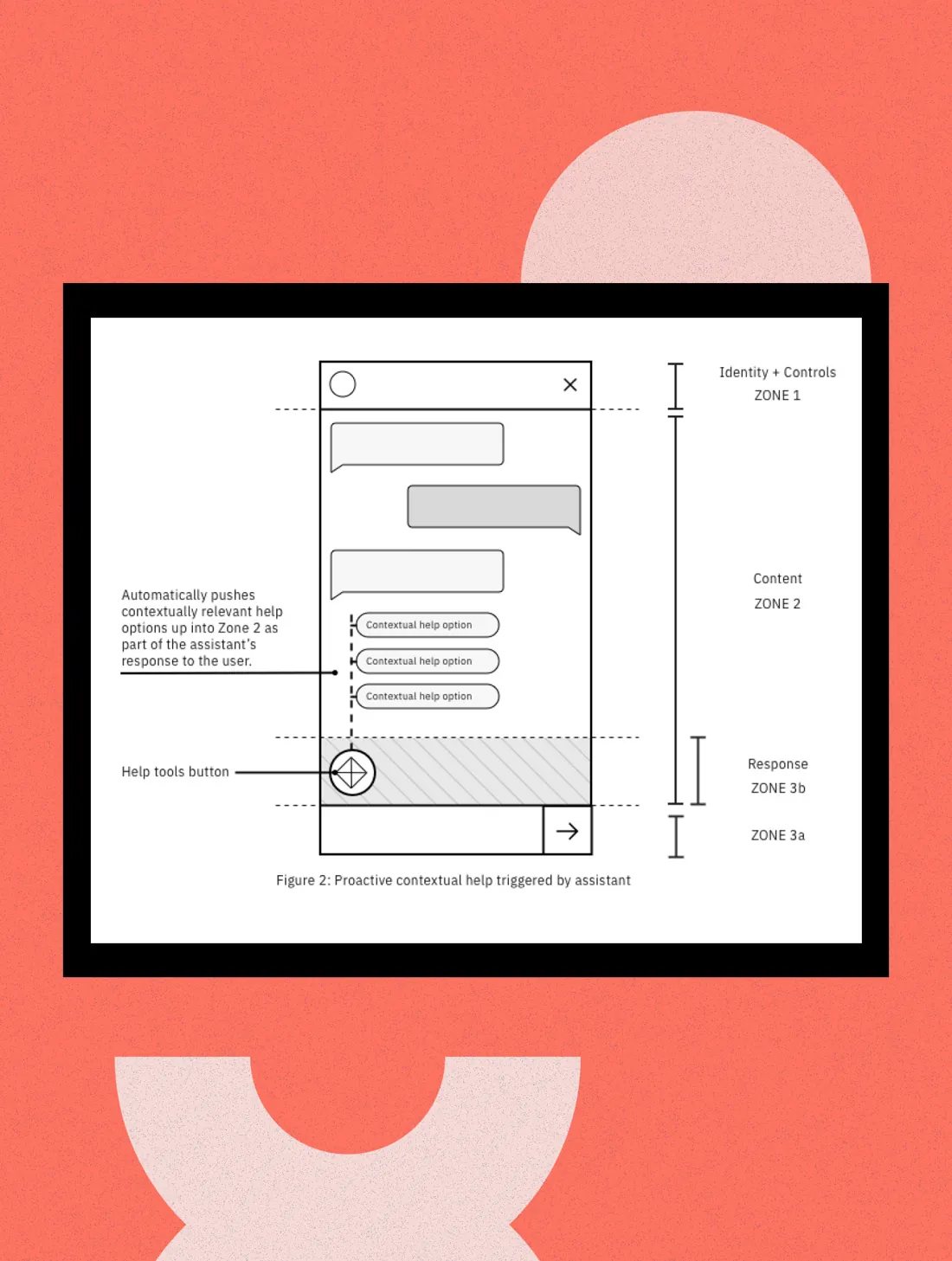
Before exploring concepts, we set ground rules for the layout so ideas would fit the chat window and stay within thumb reach on mobile.
Zone 1 · Identity & controls
Brand elements and chat window controls.
Zone 2 · Content
The conversation itself.
Zone 3 · Response
Input tools like keyboard, voice and image upload, plus a flexible space for recommendations that follow the conversation.
Sketching Together
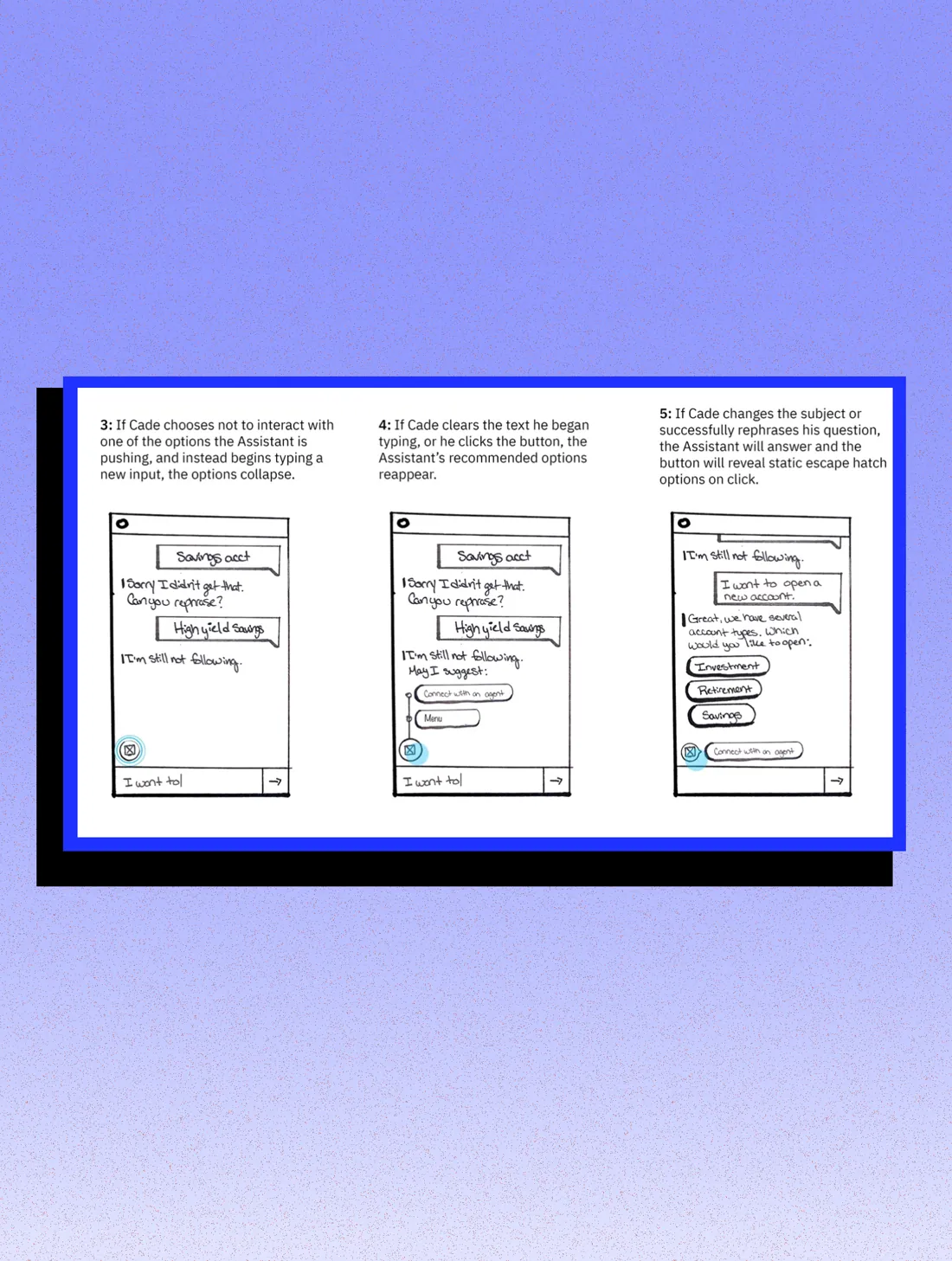
Designers, developers and offering managers all sketched. After critiquing and combining dozens of ideas, we chose one: a button in the response area that offers tools based on where the conversation is.
Interaction guidelines
- Lives in the response area, as part of the chat window.
- Uses subtle animation at key moments to invite a click.
- Only holds tools that help continue the conversation.
- Always includes a way to reach an agent.
- Easy to collapse or dismiss.
- When the assistant is confused, it proactively suggests options in the conversation.
The Patent
A prior-art search found nothing that used conversation context to offer help proactively. IBM’s patent review committee agreed it was new. U.S. Patent 11,243,991, “Contextual Help Recommendations for Conversational Interfaces Based on Interaction Patterns,” was granted on February 8, 2022.
Concept testing
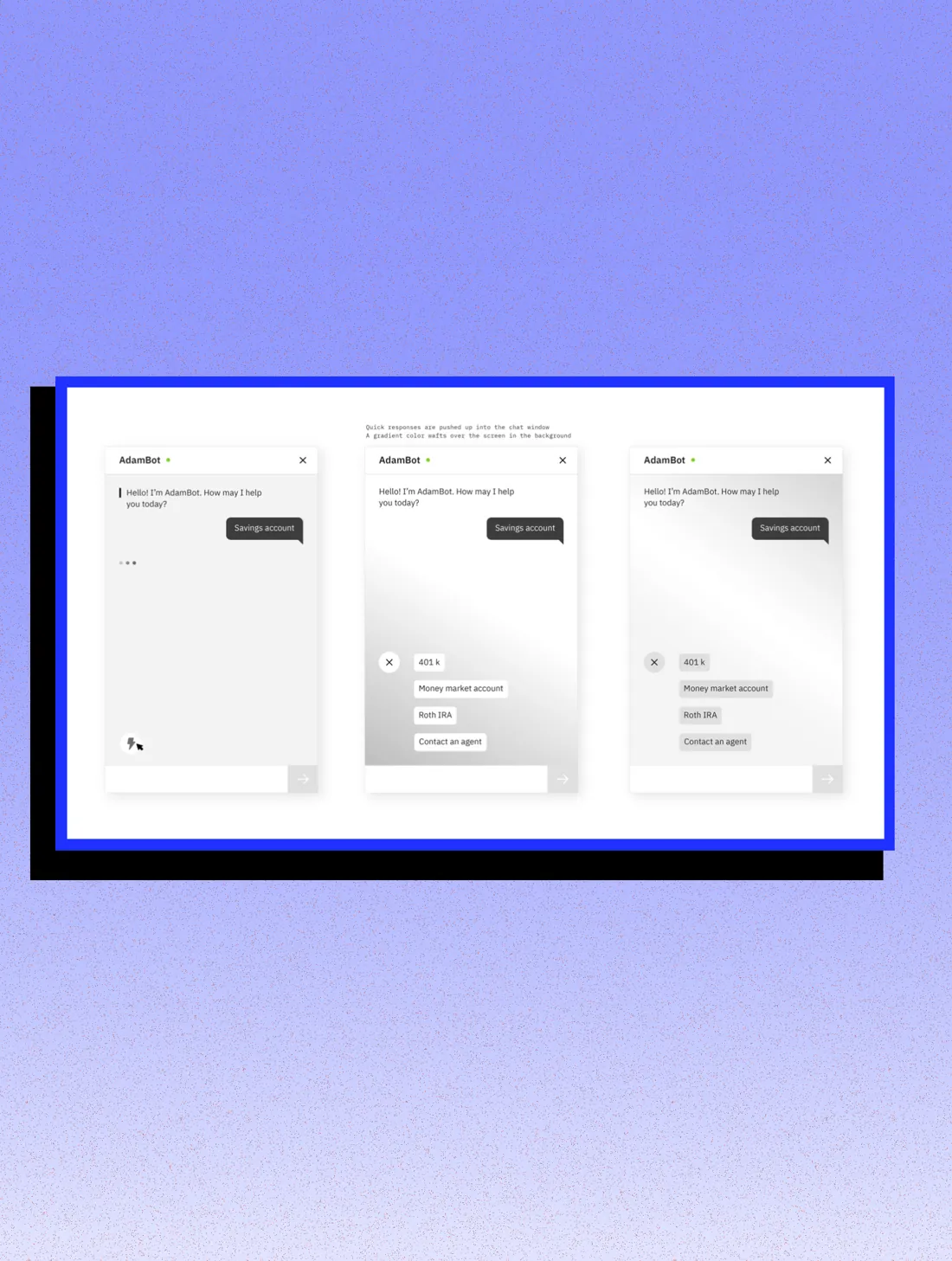
Customers restyle web chat to match their brand, so the pattern had to flex. We tested every week and iterated each round until we had an MVP.
The Solution
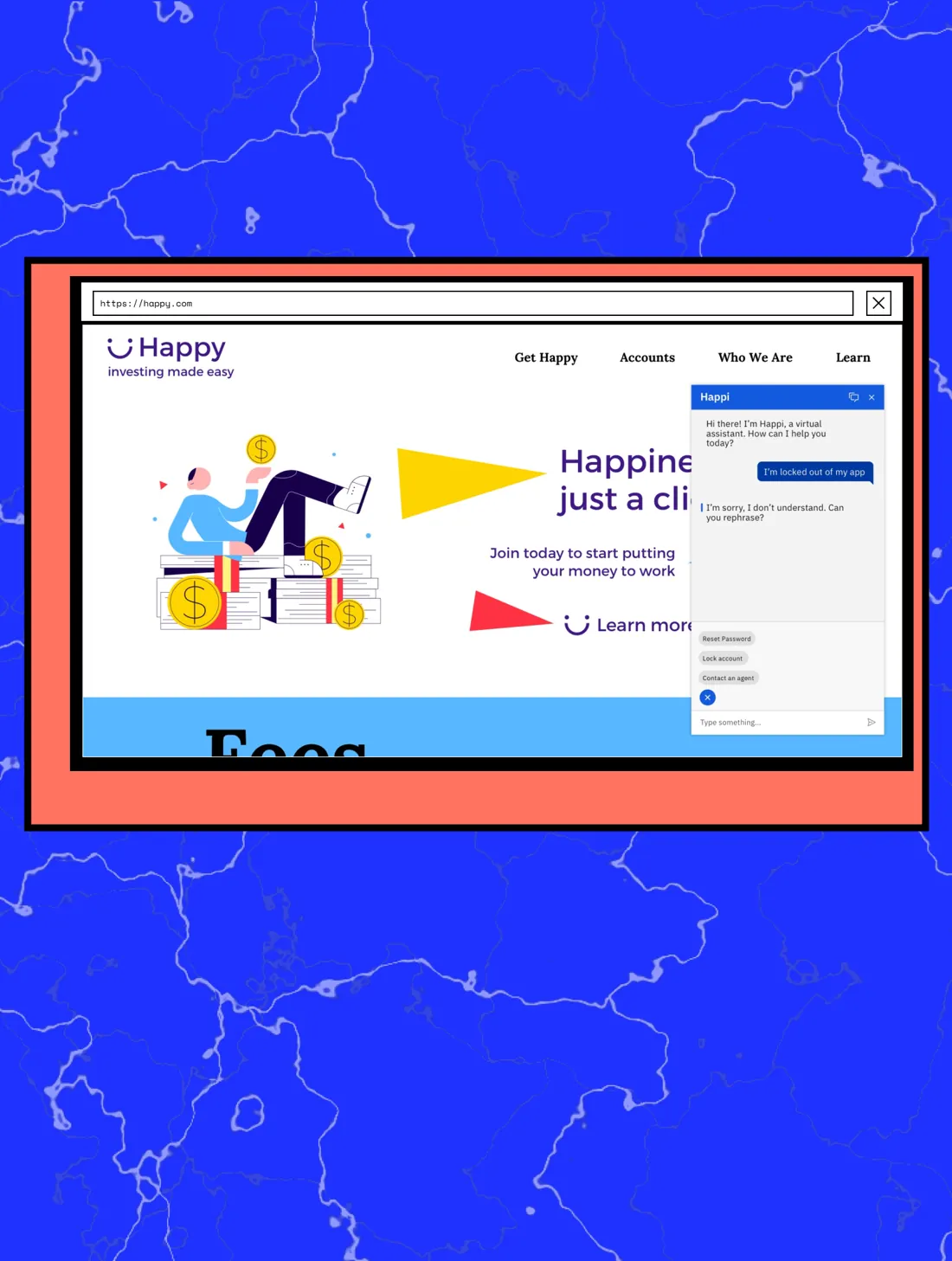
We called it Suggestions. It launched in beta in Watson Assistant in August 2020 and to everyone in November 2020.
Teams that turned it on saw more conversations end with an answer.
The key decision
Show suggestions after every reply, or only when a conversation stalls?
The options
Suggestions could appear inline after every reply, or live in one consistent place that steps forward only when the conversation is going wrong.
What we chose and why
A single button in the response area that holds recovery tools and pushes suggestions into the conversation only when the assistant is confused. People stay in control of the conversation.
The trade-off
A button is easier to miss than inline options, so we used subtle animation at key moments to invite a click, and always kept a path to a live agent.
Impact
Suggestions is now a patented pattern the team continues to build on.
above initial adoption and usage goals
In the Wild
Read the patent ↗ · Public coverage of this work.